Proof ↔ Hypergraph Bridge
← visuals indexThe proof maps (2D/3D) are annotated with artifact links: click a theorem/definition and the details pane shows the corresponding Wolfram multiway/hypergraph visualizations and interactive viewer deep-links.
How to Use
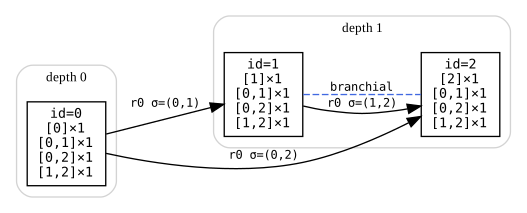
CE1 — Confluent ∧ ¬CausalInvariant
Primary nodes: HeytingLean.WPP.Wolfram.Counterexamples.CE1.confluentNF,
HeytingLean.WPP.Wolfram.Counterexamples.CE1.not_causalInvariant.
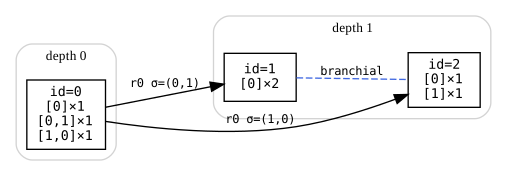
CE2 — CausalInvariant ∧ ¬Confluent
Primary nodes: HeytingLean.WPP.Wolfram.Counterexamples.CE2.causalInvariant,
HeytingLean.WPP.Wolfram.Counterexamples.CE2.not_confluentNF.
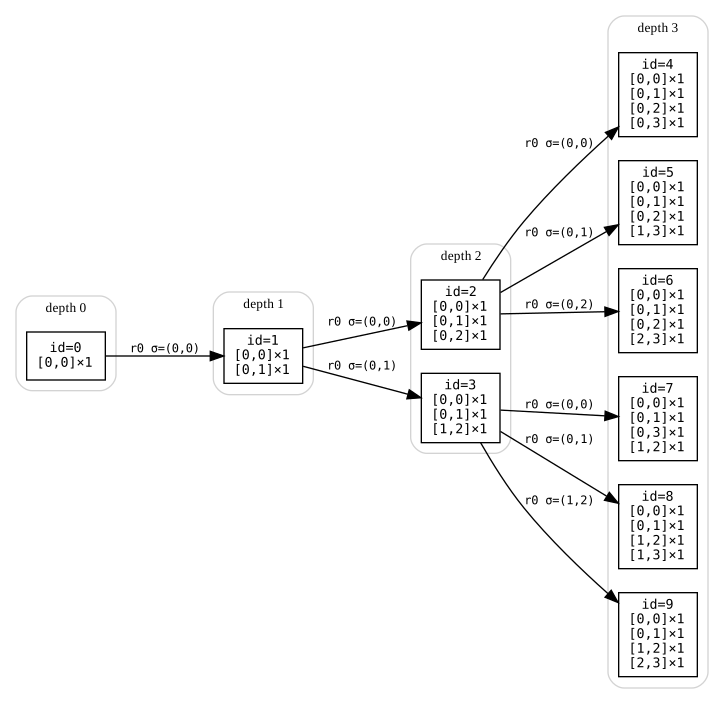
WM148 — Fresh-Vertex Semantics Case Study
Primary node: HeytingLean.WPP.Wolfram.WM148.causalInvariant.
Interactive Viewer (Embed)
The embedded viewer defaults to CE1; use the selector inside to switch systems.
Tip: nodes with attached artifacts are rendered slightly larger (and with a subtle halo) in the proof maps.